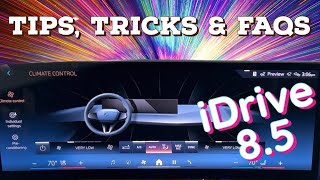
Streamed from the official YouTube channel Chris’s Bimmers .
HOW TO SET UP YOUR CURVED MONITOR FOR MAXIMUM IMMERSION

Chris’s Bimmers
Content Quality Score
EV Channels Review
This video provides a comprehensive guide to customizing the curved display and head-up display (HUD) in BMW vehicles equipped with iDrive 8 and 8.5. Chris walks viewers through the various content layouts, including 'Reduced,' 'Trip Data,' 'Assisted View,' 'Compass,' 'Map,' 'G-meter,' and 'Media/Radio,' explaining the function and benefits of each. He highlights how the 'Reduced' mode offers a minimalist display, while 'Trip Data' allows toggling between different trip metrics. The 'Assisted View' showcases augmented reality, and the 'Map' view offers a simplified navigation display compatible with third-party apps. The 'G-meter' is presented as a feature primarily for performance-oriented driving. The review also details different layout options ('Sportier,' 'Traditional,' and 'Gallery Mode'), explaining how they affect screen real estate and focus. A key point is how driving modes (Comfort, Sport, Eco Pro) can automatically adjust display configurations and ambient lighting, though this varies by specific vehicle model. Finally, the HUD customization options are briefly touched upon, differentiating between standard, directional, assisted, and sport views. The presenter emphasizes that while many settings are controlled via the steering wheel, detailed adjustments like HUD height and brightness remain within the main iDrive system menu. The video concludes by directing viewers to their local BMW center for further assistance and to other related videos and the presenter's Amazon storefront.
Vehicle Specs
| Brand | BMW |
|---|---|
| Year | 2024 |