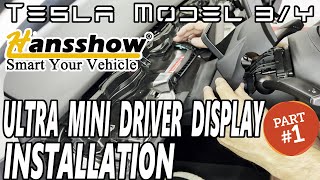
Streamed from the official YouTube channel Ocean Views by MTN Ranger .
TESLA MODEL 3/Y - ULTRA MINI DRIVER DISPLAY - HOW TO USE

Ocean Views by MTN Ranger
Content Quality Score
EV Channels Review
This video provides a comprehensive guide to the Hansshow Ultra Mini Display for Tesla Model 3 and Y, focusing on its software, usage, and a crucial firmware update. The reviewer details the setup process, explaining how to navigate menus using the steering wheel controls and customize settings like temperature units, time zone, and display themes (UI1 and UI2). A significant portion is dedicated to addressing bugs found in the original firmware, particularly concerning the state of charge accuracy and indicator light behavior. The firmware update process, involving a USB drive and vehicle power cycle, is clearly demonstrated and resolves these issues, with the reviewer noting improved SOC accuracy. Positives highlighted include the display's unobtrusive design, good airflow from vents, and the essential driver information presented clearly. Negatives mentioned are the lack of cruise control/autopilot indicators, the display's independent day/night mode switching, potential steering wheel obstruction depending on seating position, and a desire for manual brightness control, 24-hour format options, and an energy consumption display. The reviewer also expresses a preference for direct downloadability of firmware updates over relying on customer service.
Vehicle Specs
| Brand | Tesla |
|---|---|
| Model | Model 3/Y |